| | |
 | PNY gibt strategische Partnerschaft mit F5 bekannt, um die Implementierung sicherer High-Performance Infrastrukturen in der EMEA-Region voranzutreiben, eine Pressemitteilung
|
|
Autor
|
Thema: Mit VBA 3d-Pdf erstellen (581 / mal gelesen)
|
imf
Mitglied

   Beiträge: 27
Registriert: 13.04.2005 Iv 2026 Pro
Windows11
AMD Ryzen 5900 64GB
PNY Quadro P2000
|

 erstellt am: 03. Feb. 2026 11:23
  <-- editieren / zitieren --> <-- editieren / zitieren -->   Unities abgeben: Unities abgeben:          
Hallo zusammen, ich möchte aus ein aus einem Modell verschiedene Dateien erstellen, darunter soll auch ein 3d-Pdf sein.
Ich habe bei der API Hilfe ein Programm gefunden das das machen soll.
hier der Code:
Option Explicit Public Sub PublishTo3DPDF()
Dim invApp As Inventor.Application: Set invApp = ThisApplication
' 1. Das 3D-PDF Add-In suchen
Dim oPDFAddIn As ApplicationAddIn
Dim oAddin As ApplicationAddIn
' Korrigierte Schleife:
For Each oAddin In invApp.ApplicationAddIns
If oAddin.ClassIdString = "{3EE52B28-D6E0-4EA4-8AA6-C2A266DEBB88}" Then
Set oPDFAddIn = oAddin
Exit For
End If
Next
If oPDFAddIn Is Nothing Then
MsgBox "Inventor 3D PDF Addin wurde nicht gefunden!", vbCritical
Exit Sub
End If
' 2. Add-In aktivieren, falls es noch nicht bereit ist
If Not oPDFAddIn.Activated Then
On Error Resume Next
oPDFAddIn.Activate
On Error GoTo 0
End If
' 3. Automation-Schnittstelle abrufen
Dim oPDFConvertor3D As Object
Set oPDFConvertor3D = oPDFAddIn.Automation
If oPDFConvertor3D Is Nothing Then
MsgBox "Die 3D-PDF Automation-Schnittstelle ist nicht verfügbar!", vbCritical
Exit Sub
End If
' 4. Dokument-Referenz
Dim oDocument As Document: Set oDocument = invApp.ActiveDocument
' Sicherheitscheck: Ist überhaupt ein Dokument offen?
If oDocument Is Nothing Then Exit Sub ' 5. Optionen erstellen
Dim oOptions As NameValueMap
Set oOptions = invApp.TransientObjects.CreateNameValueMap
' --- PFADE ---
oOptions.value("FileOutputLocation") = "D:\test.pdf"
oOptions.value("ExportTemplate") = "I:\0-Inventor\Vorlagen\IMF\Blank.pdf"
' --- GEOMETRIE ---
oOptions.value("ExportAnnotations") = 1
oOptions.value("ExportWorkFeatures") = 1
oOptions.value("VisualizationQuality") = 1 ' 1 = Medium
' --- ANSICHTEN ---
Dim sDesignViews(0) As String
sDesignViews(0) = "Master"
oOptions.value("ExportDesignViewRepresentations") = sDesignViews
' 6. PUBLISH
invApp.StatusBarText = "3D-PDF wird erstellt..."
On Error Resume Next
Call oPDFConvertor3D.Publish(oDocument, oOptions)
If Err.Number <> 0 Then
MsgBox "Fehler: " & Err.Description, vbCritical
Else
MsgBox "Erfolgreich erstellt!", vbInformation
End If
On Error GoTo 0
invApp.StatusBarText = "Bereit"
End Sub
Die zwei Zeilen unter
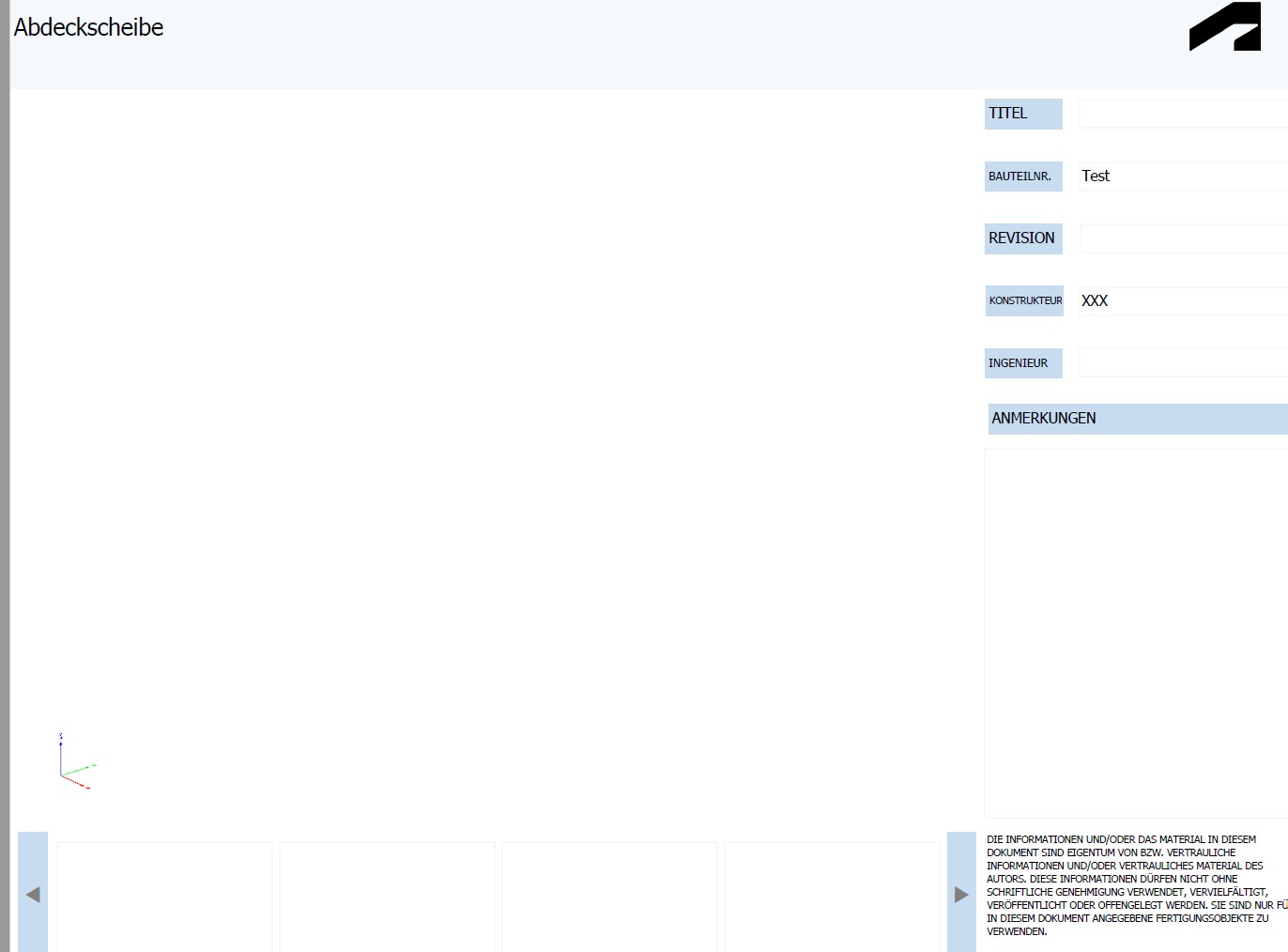
' --- PFADE --- habe ich angepasst. Wenn ich das Programm ausführe erscheint nur ein leeres weißes Blatt in Acrobat Reader. Hat jemand ein Tipp, was ich anpassen muss damit die Geometrie exportiert wird. mfg Stefan Eine Antwort auf diesen Beitrag verfassen (mit Zitat/Zitat des Beitrags) IP |
rkauskh
Moderator
Dipl.-Ing. (FH) Versorgungstechnik, Master Eng. IT-Security & Forensic
    

Beiträge: 3083
Registriert: 15.11.2006 Windows 10 x64, AIP 2020-2025
|
erstellt am: 03. Feb. 2026 11:36 <-- editieren / zitieren --> Unities abgeben: Nur für imf 
Moin Leg mal das Template lokal und passe den Pfad entsprechend an. Wenn es dann geht, ist es ein Problem mit em Netzwerkpfad. Den Auflösen in UNC könnte Abhilfe schaffen.
Sollte da nicht auch die Zeile
Code:
oOptions.Value("GenerateAndAttachSTEPFile") = True
vorkommen? Gibt es den DesignView "Master" überhaupt in deinem Modell? ------------------
MfG
Ralf Eine Antwort auf diesen Beitrag verfassen (mit Zitat/Zitat des Beitrags) IP |
imf
Mitglied
Beiträge: 27
Registriert: 13.04.2005
|
erstellt am: 04. Feb. 2026 16:25 <-- editieren / zitieren --> Unities abgeben:
|
rkauskh
Moderator
Dipl.-Ing. (FH) Versorgungstechnik, Master Eng. IT-Security & Forensic
Beiträge: 3083
Registriert: 15.11.2006 Windows 10 x64, AIP 2020-2025
|
erstellt am: 04. Feb. 2026 17:32 <-- editieren / zitieren --> Unities abgeben: Nur für imf
Moin Hast du meine Vorschläge ausprobiert bzw. die Hinweise geprüft? Im deutschen Inventor heißt die Standard Ansichtsdarstellung glaub ich nicht "Master", sondern "Primär" oder "Vorgabe". ------------------
MfG
Ralf Eine Antwort auf diesen Beitrag verfassen (mit Zitat/Zitat des Beitrags) IP |
imf
Mitglied
Beiträge: 27
Registriert: 13.04.2005
|
erstellt am: 05. Feb. 2026 13:25 <-- editieren / zitieren --> Unities abgeben:
|
rkauskh
Moderator
Dipl.-Ing. (FH) Versorgungstechnik, Master Eng. IT-Security & Forensic
Beiträge: 3083
Registriert: 15.11.2006 Windows 10 x64, AIP 2020-2025
|
erstellt am: 06. Feb. 2026 09:59 <-- editieren / zitieren --> Unities abgeben: Nur für imf
Moin In welchem Viewer öffnest du das PDF? Wirklich Acrobat Reader oder einem anderen oder im Webbrowser? Kannst du das PDF hochladen? Eventuell nochmal eine Version eines einfachen Klotzes ohne iProps erstellen, damit interne Infos nicht mitkommen.
Eventuell das hier mal prüfen: Link
------------------
MfG
Ralf Eine Antwort auf diesen Beitrag verfassen (mit Zitat/Zitat des Beitrags) IP |
BernoAn
Mitglied
Beiträge: 175
Registriert: 16.01.2014
|
erstellt am: 20. Feb. 2026 11:54 <-- editieren / zitieren --> Unities abgeben: Nur für imf
Hallo, schau mal so geht es bei mir, den Template Pfad eventuell anpassen Code:
Option ExplicitPublic Sub Publish3DPDF_AllViews() Dim invApp As Inventor.Application
Set invApp = ThisApplication
Dim oDoc As Document
Set oDoc = invApp.ActiveDocument
If oDoc Is Nothing Then
MsgBox "Kein Dokument geöffnet!", vbExclamation
Exit Sub
End If
' Nur Part oder Assembly
If Not (TypeOf oDoc Is PartDocument Or TypeOf oDoc Is AssemblyDocument) Then
MsgBox "3D-PDF nur für Bauteil oder Baugruppe möglich!", vbExclamation
Exit Sub
End If ' 3D PDF Add-In
Dim oPDFAddIn As ApplicationAddIn
Set oPDFAddIn = invApp.ApplicationAddIns.ItemById("{3EE52B28-D6E0-4EA4-8AA6-C2A266DEBB88}")
If oPDFAddIn Is Nothing Then
MsgBox "3D PDF AddIn nicht gefunden!", vbCritical
Exit Sub
End If
If Not oPDFAddIn.Activated Then oPDFAddIn.Activate
Dim oPDFConvertor3D As Object
Set oPDFConvertor3D = oPDFAddIn.Automation
If oPDFConvertor3D Is Nothing Then
MsgBox "Automation Interface nicht verfügbar!", vbCritical
Exit Sub
End If ' Optionen
Dim oOptions As nameValueMap
Set oOptions = invApp.TransientObjects.CreateNameValueMap oOptions.Value("FileOutputLocation") = "C:\temp\Test3D.pdf"
oOptions.Value("ExportTemplate") = "C:\Users\Public\Documents\Autodesk\Inventor 2024\Templates\de-DE\Sample Part Template.pdf"
oOptions.Value("VisualizationQuality") = 1 ' Medium reicht
oOptions.Value("ExportAnnotations") = False
oOptions.Value("ExportWorkFeatures") = False ' Alle Design Views automatisch exportieren
Dim dv As DesignViewRepresentation
Dim views() As String
Dim i As Integer
i = 0
ReDim views(oDoc.ComponentDefinition.RepresentationsManager.DesignViewRepresentations.count - 1)
For Each dv In oDoc.ComponentDefinition.RepresentationsManager.DesignViewRepresentations
views(i) = dv.name
i = i + 1
Next
oOptions.Value("ExportDesignViewRepresentations") = views ' Publish
invApp.StatusBarText = "Erstelle 3D-PDF..."
Call oPDFConvertor3D.Publish(oDoc, oOptions)
invApp.StatusBarText = "Fertig."
MsgBox "3D-PDF erfolgreich erstellt!", vbInformation End Sub
Gruß
Berno Eine Antwort auf diesen Beitrag verfassen (mit Zitat/Zitat des Beitrags) IP |

 Foren auf CAD.de


 |
|