Try this
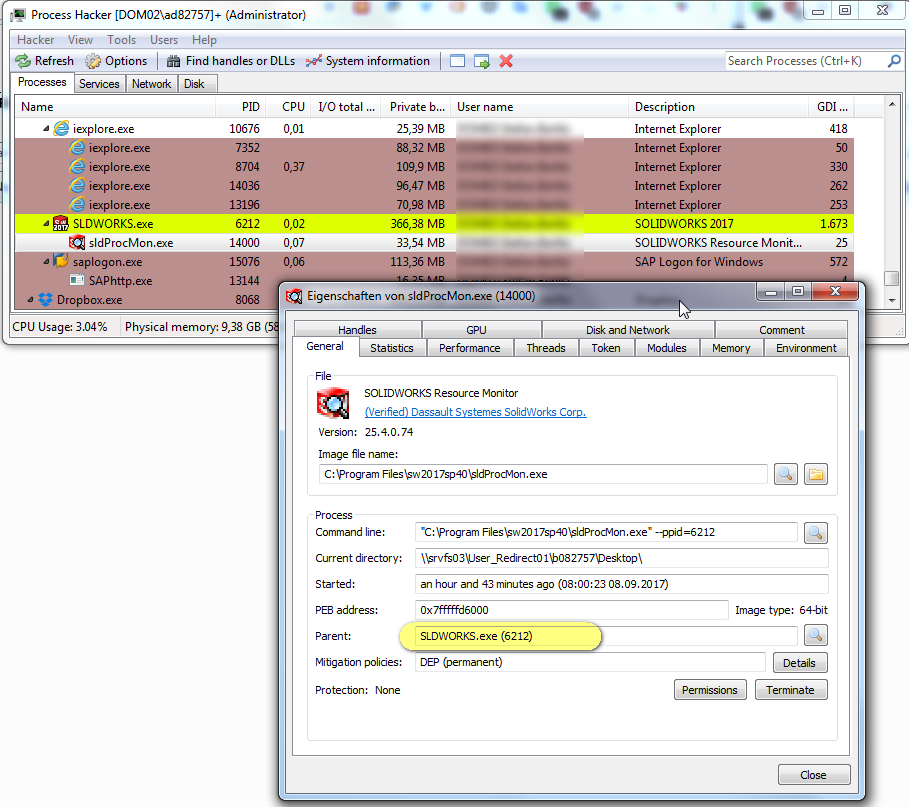
https://forum.solidworks.com/message/680520#comment-680520I have 2016 SP2, and it was crashing upon exit. I figured out it was due to the Resource Monitor (RM). I determined this by deleting the RM process (sldProcMon.exe) before closing Solidworks, and the crash disappeared. I then tried renaming/removing the sldProcMon.exe file in the C:\Program Files\SOLIDWORKS Corp\SOLIDWORKS folder to prevent it from even launching when Solidworks was started, and that caused Solidworks to no longer start up properly. It would report that it was misconfigured and request a re-installation or repair.
I then stumbled upon the ultimate solution to trick the main Solidworks program and get rid of the Resource Monitor forever, preventing it from running.
1.Make sure Solidworks is closed.
2.Grab a copy of C:\Windows\System32\rundll32.exe and copy it into your Solidworks installation folder (typically C:\Program Files\SOLIDWORKS Corp\SOLIDWORKS).
3.Within the Solidworks installation folder, rename the original sldProcMon.exe to something else (e.g. sldProcMon_original.exe)
4.Within the Solidworks installation folder, rename the rundll32.exe you just copied into this folder to sldProcMon.exe (case sensitive).
5.Launch Solidworks normally. The the "dummy" sldProcMon.exe that you just created will be launched by the main Solidworks executable - which keeps it "happy" and prevents any complains that the installation is corrupted or in need of repair - and then it immediately will exit since rundll32.exe without any parameters does absolutely nothing and just exits.
Worked like a charm for me. Don't tell SW!
Eine Antwort auf diesen Beitrag verfassen (mit Zitat/Zitat des Beitrags) IP



 |
| 


 KB-BLUST